Quick document library
Search, filter, favorite, and reopen recent PDFs from a clean home screen.
Free forever Android PDF app
Open, read, mark, sign, and share PDF files with a clean mobile workflow built for speed. Every app feature is free, and PDF Reader Lite will never charge users.
Core workflow
PDF Reader Lite keeps the interface focused on frequent document tasks instead of burying them under heavy menus. The Android app is free to use, with no paid tiers, trial locks, or subscription plans.
Search, filter, favorite, and reopen recent PDFs from a clean home screen.
Move through long files with page position, zoom, reading mode, orientation, and share actions.
Highlight text, add notes, underline, strike out, write with pen tools, and adjust opacity.
Scan, merge, split, compress, lock, unlock, convert images, and print documents.
Free commitment
PDF Reader Lite is built as a free Android PDF reader. Reading, searching, organizing, highlighting, annotating, signing, sharing, exporting, and everyday PDF tools are available without subscription fees or paid upgrades.
Product screens
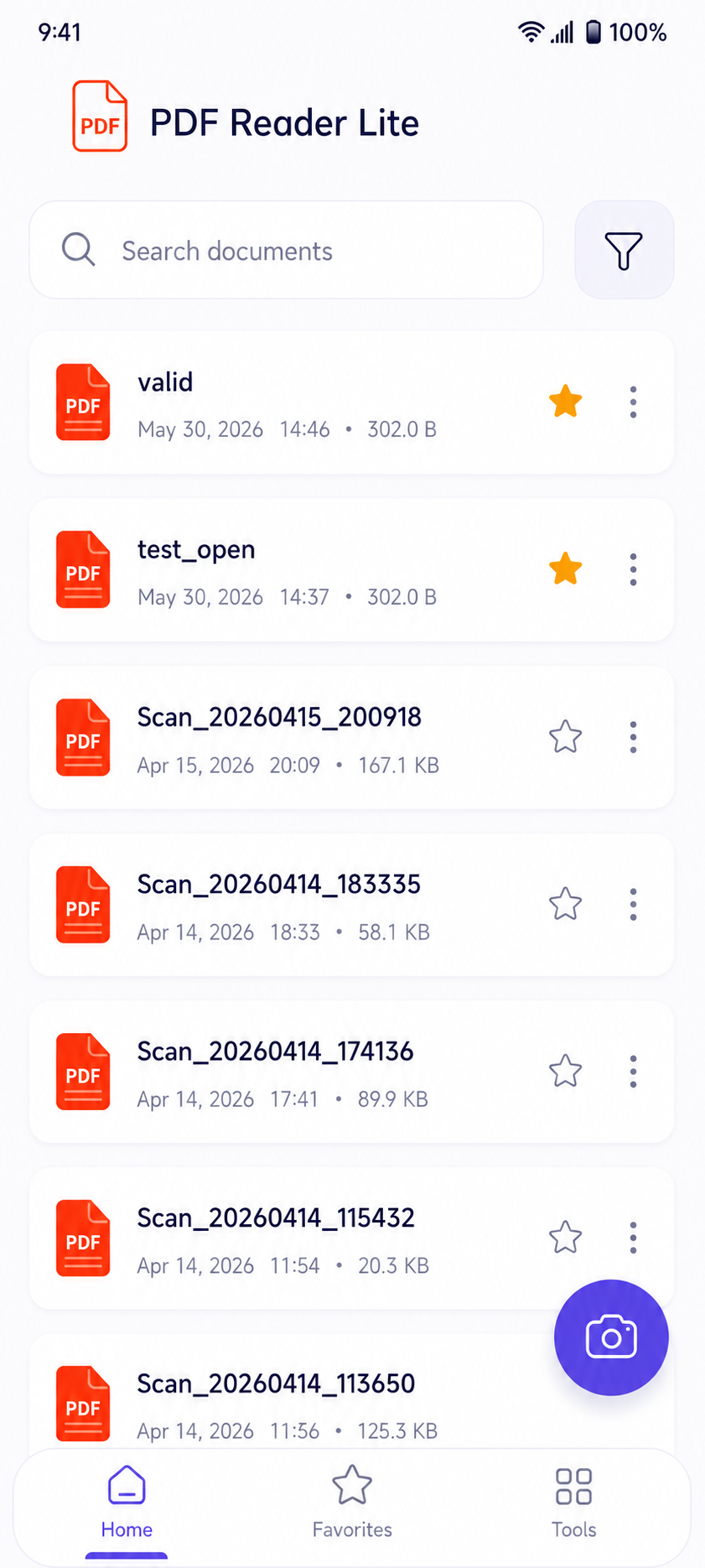
Home
Recent documents, favorites, search, and filtering are visible right away, so users can get back to the file they need.
Lightweight by design
Open reports, invoices, scans, notes, and downloaded documents in seconds.
Use page controls, zoom, search, and reading mode to move through longer files.
Capture decisions with highlight, pen, underline, strikethrough, note, and signature tools.
Share or export documents when the review is finished.
Download
Install the Android app for a fast, simple PDF workflow that fits reading, reviewing, and sharing into one lightweight tool. PDF Reader Lite is free now and committed to staying free forever.
FAQ
Yes. PDF Reader Lite is completely free. All app features are free, and the product is committed to never charging users.
No. PDF Reader Lite does not require a subscription, a paid trial, or paid upgrades for its PDF reading and document tools.
PDF Reader Lite helps Android users open, read, search, organize, highlight, annotate, sign, share, export, and manage PDF files.
Contact
Email the support address and include your device model, Android version, and a short description of the issue.